Screenshot of the footprint chart on NQ, one-minute bars.
Footprint, delta, CVD, big trades, absorption and more, built from real trades and drawn on the same chart you mark up. Futures (NQ, ES, YM, GC, SI, CL and their micros) and crypto.
Real screens from the chart. Each tool is one click in the Order Flow group of the Indicators window.
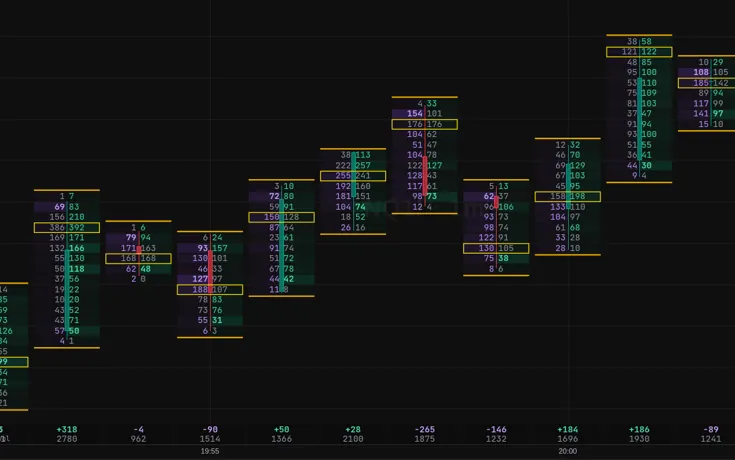
Footprint on NQ, one-minute bars.
01 / 11
Footprint chart
Every candle split into prices, with the volume bought and sold at each one.
How it works
Pick Footprint from the chart style menu. Each row shows sellers x buyers at that price. A yellow box marks the busiest price of the bar, and the delta and volume sit under each bar. Zoom out and it turns back into candles coloured by delta.
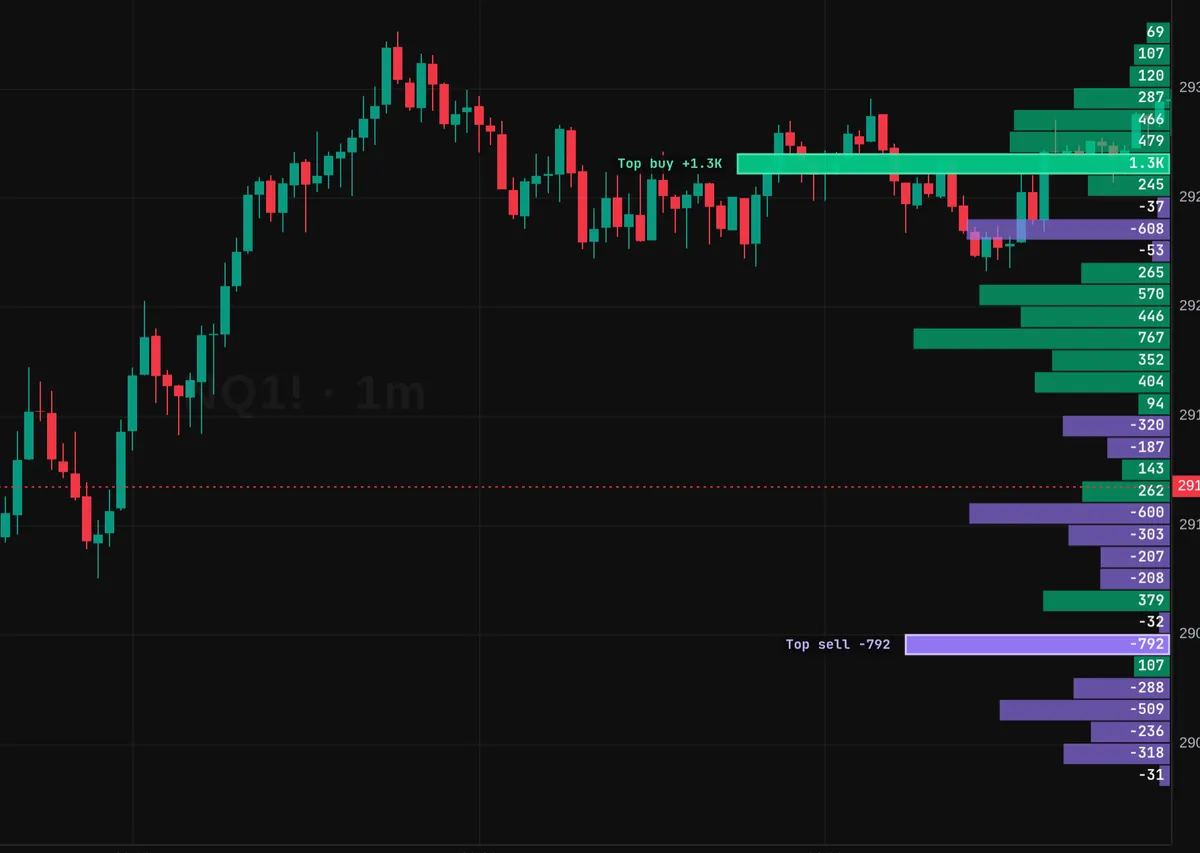
Delta profile on NQ, one-minute bars.
02 / 11
Delta profile
A delta profile on the price axis: buyers or sellers, row by row, at each price.
How it works
Delta comes with 14 styles, from a session profile on the price axis to delta bars and boxes on the chart. Add Delta more than once to stack styles.
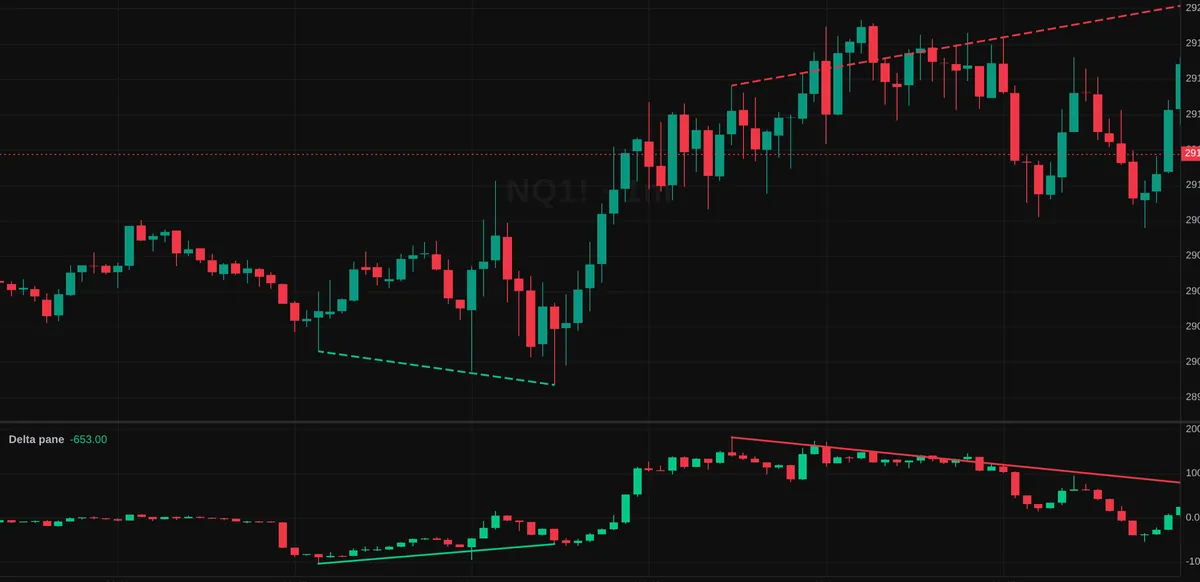
CVD pane with a divergence line, NQ one-minute bars.
03 / 11
CVD with divergence
Cumulative volume delta in its own pane, with a line drawn when price and CVD disagree.
How it works
CVD adds up buying minus selling volume through the session. When price makes a new high or low and CVD does not, the divergence is drawn on both the chart and the pane.
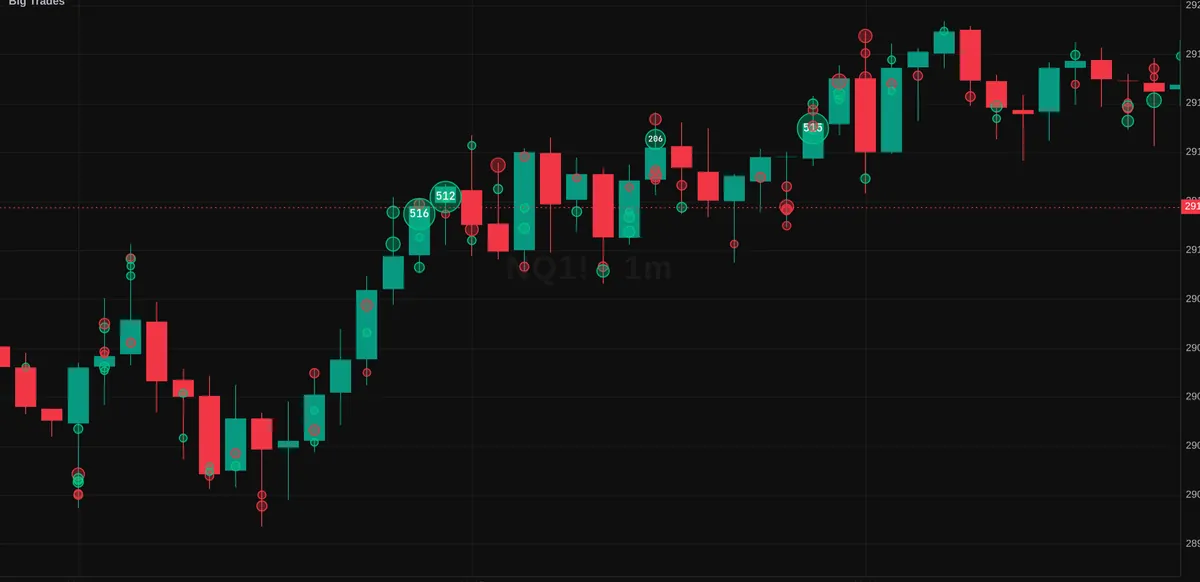
Big Trades on NQ, one-minute bars.
04 / 11
Big Trades
A bubble on the candle wherever one large order traded, sized by the order.
How it works
Green bubbles are aggressive buyers, purple are aggressive sellers. The size threshold adapts to the market, and you can set your own.
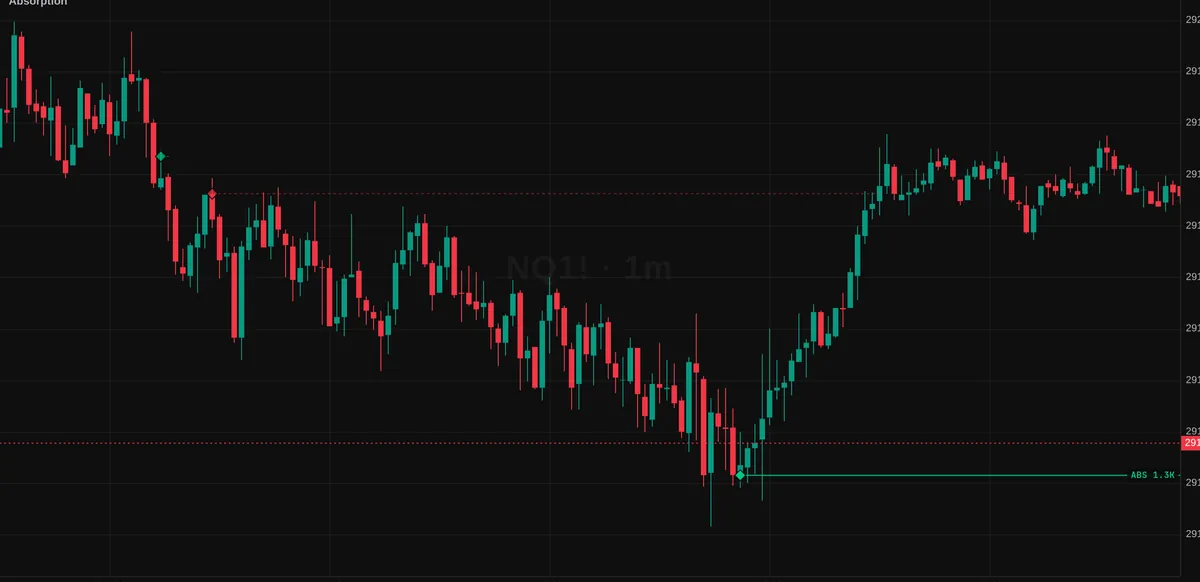
Absorption level on NQ, one-minute bars.
05 / 11
Absorption
Marks prices where heavy selling or buying hit and price did not move, and keeps the level on the chart.
How it works
A bar qualifies when its volume is high for its range and the delta pushes against the close. The level extends right until a bar closes through it.
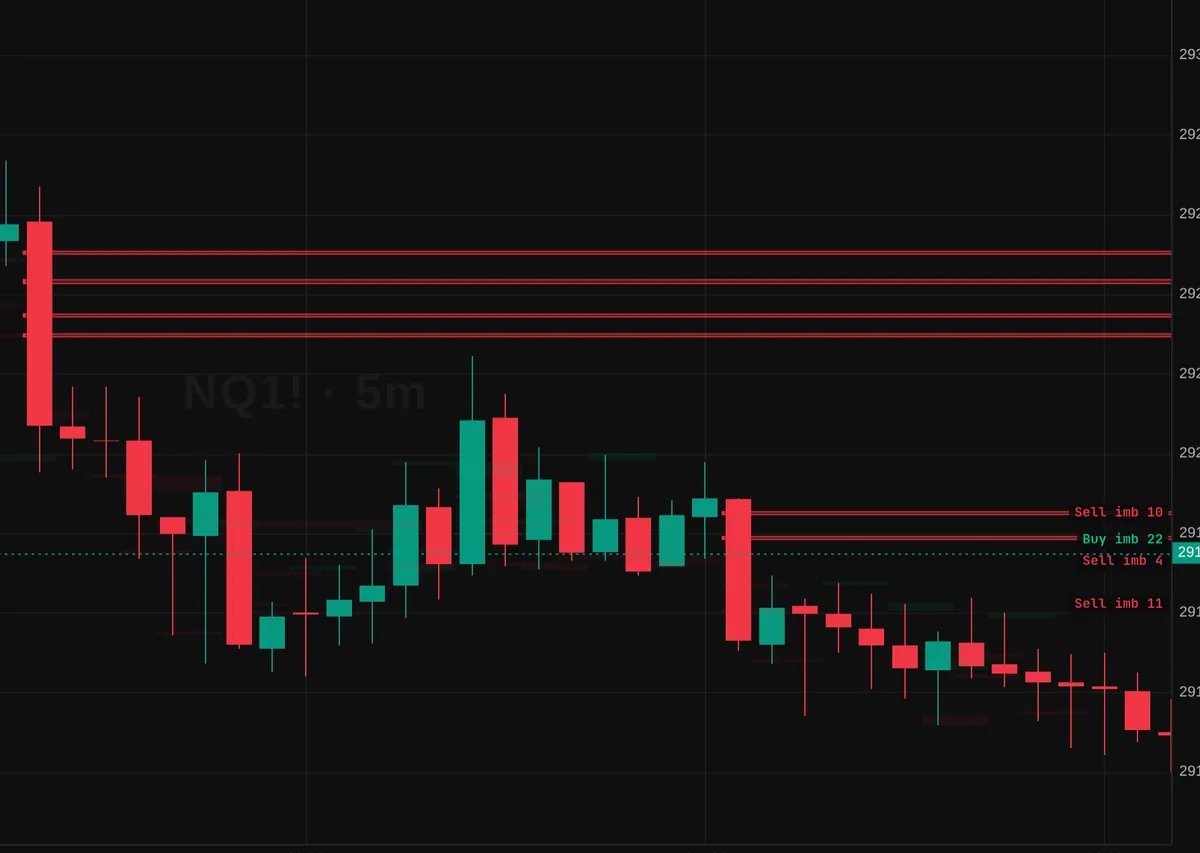
Imbalance zones on NQ, five-minute bars.
06 / 11
Imbalance zones
Stacked buy or sell imbalances drawn as zones that stay until price trades back through them.
How it works
Three or more prices in a row where one side traded at least three times the other (both settings can be changed).
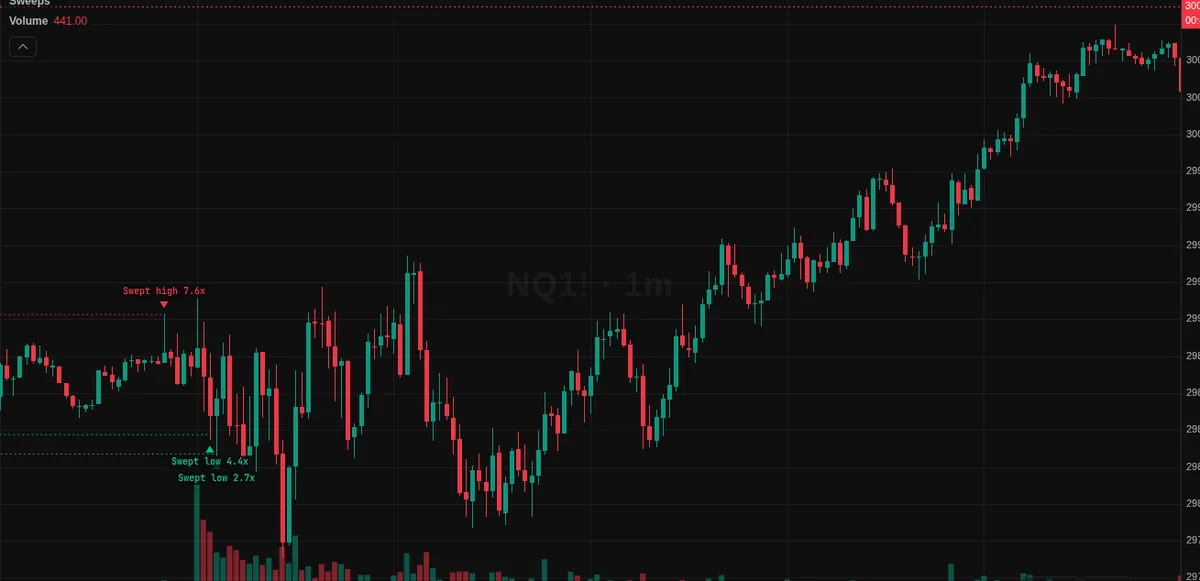
Stop runs marked on NQ, one-minute bars.
07 / 11
Stop runs / sweeps
Flags a bar that pokes past a recent swing high or low on a volume spike and closes back inside.
How it works
A small marker at the wick and a dotted line back to the swing it ran. Uses traded volume where order flow exists, and the chart volume on other markets.
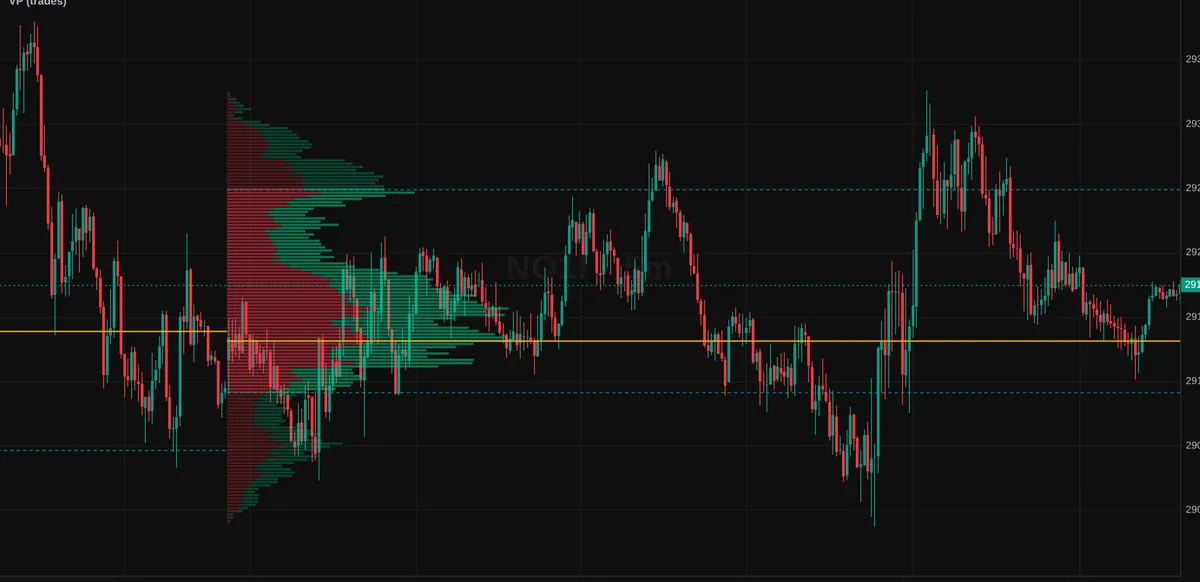
Session volume profile and naked POC on NQ, five-minute bars.
08 / 11
Volume profile and naked POC
Session or swing volume profiles with the POC and value area, and old POCs that price has not revisited yet.
How it works
Built from traded volume at each price. A naked POC stays on the chart until price trades back to it.
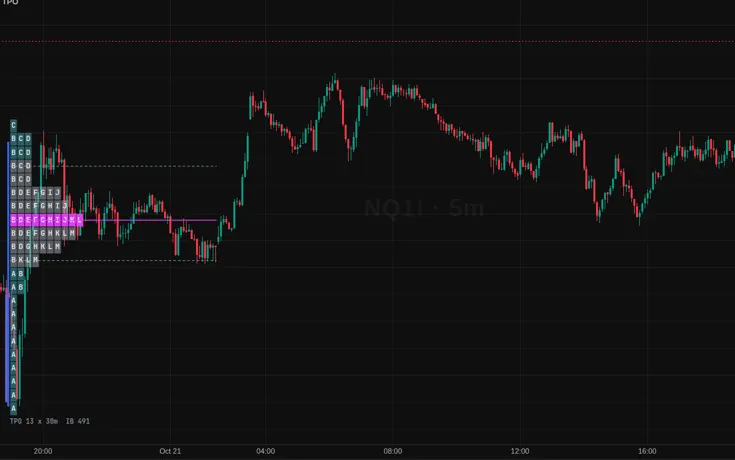
Market profile on NQ.
09 / 11
Market profile (TPO)
Time at price for each session in letters or blocks, with the initial balance, POC and value area.
How it works
One letter per 30 minutes. Single prints and the initial balance are marked so the shape of the session is easy to read.
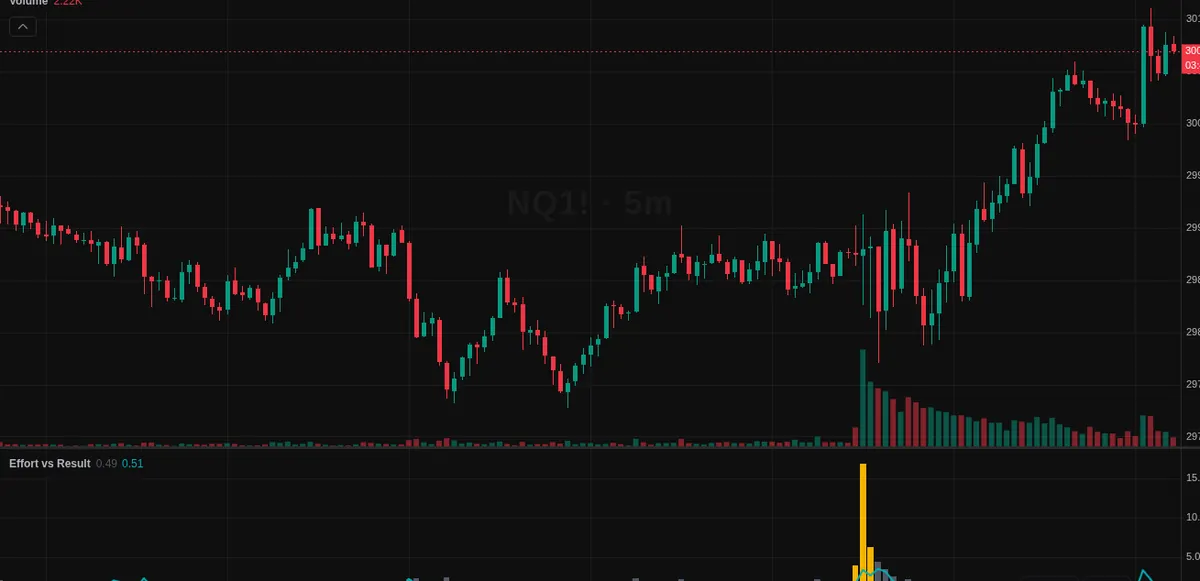
Effort vs result pane on NQ, five-minute bars.
10 / 11
Effort vs result
A pane that flags bars with a lot of volume but little price movement, and the reverse.
How it works
Effort is volume against its average, result is range against its average. The bars that do not match are highlighted.
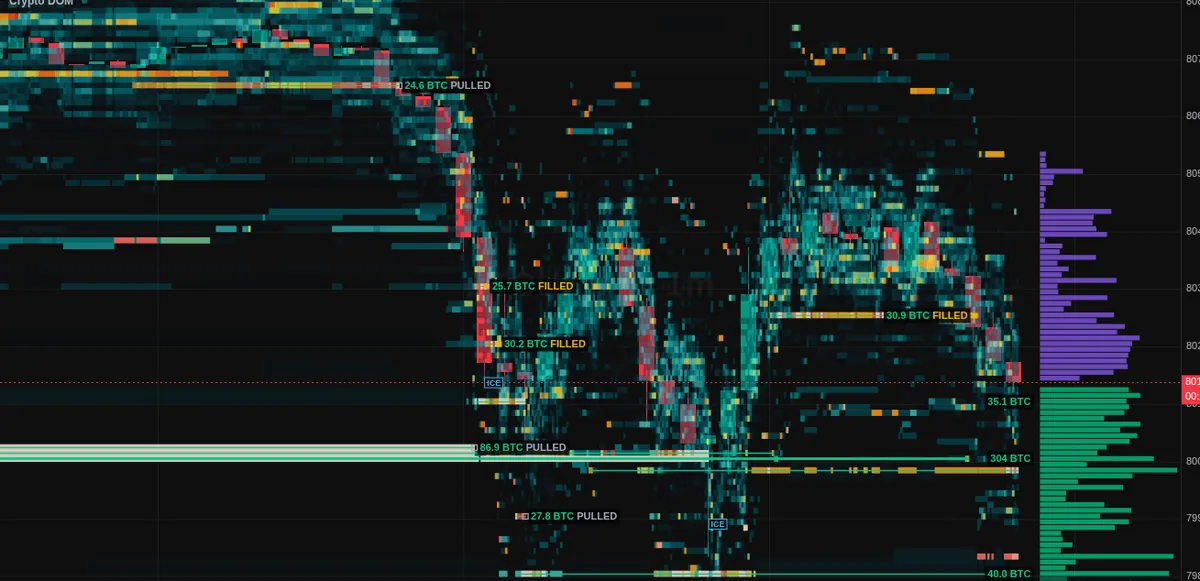
Liquidity heatmap on BTC/USDT, one-minute bars.
11 / 11
BTC and ETH liquidity heatmap
Resting buy and sell orders on the Binance book drawn behind the candles, with big orders labelled by size.
How it works
Brighter means more size resting at that price. When a big order disappears, the map tells you whether it was pulled or filled, and repeated refills get an iceberg hint. Crypto only: there is no order book for futures.
How it works
Nothing to install and no data subscription to set up.
1
Open Charts
Pick NQ, ES or another supported futures market, or a crypto pair.
2
Add a tool
Choose Footprint as the chart style, or add any tool from the Order Flow group.
3
Replay it
Every tool works in bar replay too, using only the trades up to the replay clock.
Questions
Where does the data come from?
Futures order flow is built on our server from every trade and the side that started it. Crypto order flow comes from public Binance trades, straight into your browser.
Which markets have order flow?
NQ, ES, YM, GC, SI and CL, with their micro contracts, and Binance crypto pairs. The liquidity heatmap is crypto only, because there is no order book feed for futures.
Can I use my own futures data?
Yes. You can connect your own Rithmic data to the chart.
Do these tools tell me when to trade?
No. They show what traded and where. Reading it is a skill, and the curriculum's volume profile track is a good place to start.
Which plan includes it?
Every account can use order flow on NQ (the last 24 hours) and on crypto. Pro adds every supported futures market and the full history.
Open the footprint on your own chart
Create your account, open Charts and pick Footprint.